Config file for External Data Management scripts
Overview
The external data management scripts use a shared configuration file named psConfig.txt.
This file tells the scripts how your Portfolio Slicer environment is set up, where files should be created, which symbols and currencies to process, and which optional behaviors to enable.
File Structure
The configuration file follows a simple tag-based structure.
Important rules:
- empty lines are ignored
- lines starting with
#are treated as comments - each parameter is defined with an opening and closing tag on separate lines
- values are written on the lines between the tags
- some parameters accept one value, while others accept a list of values
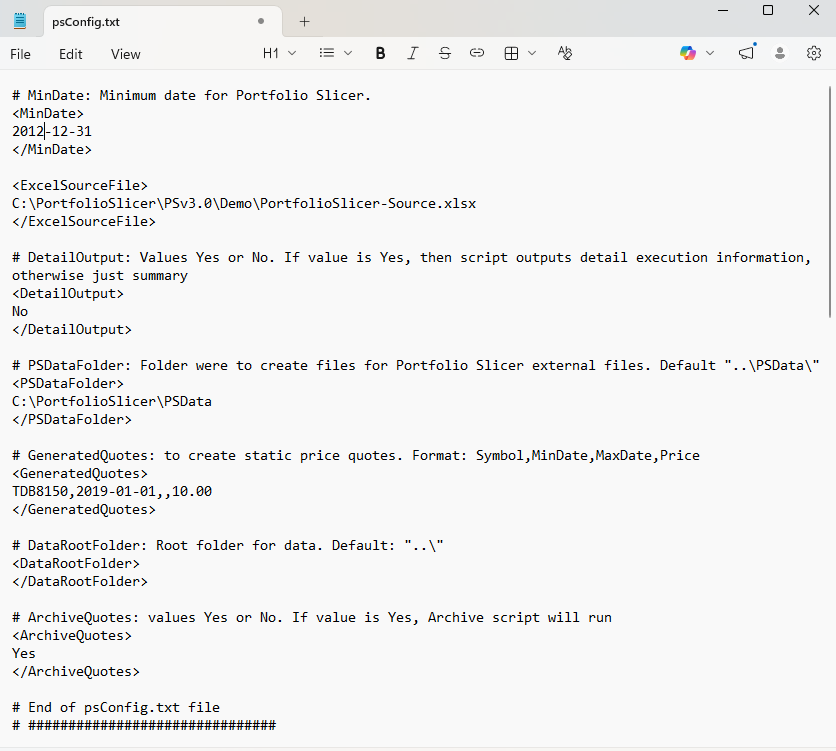
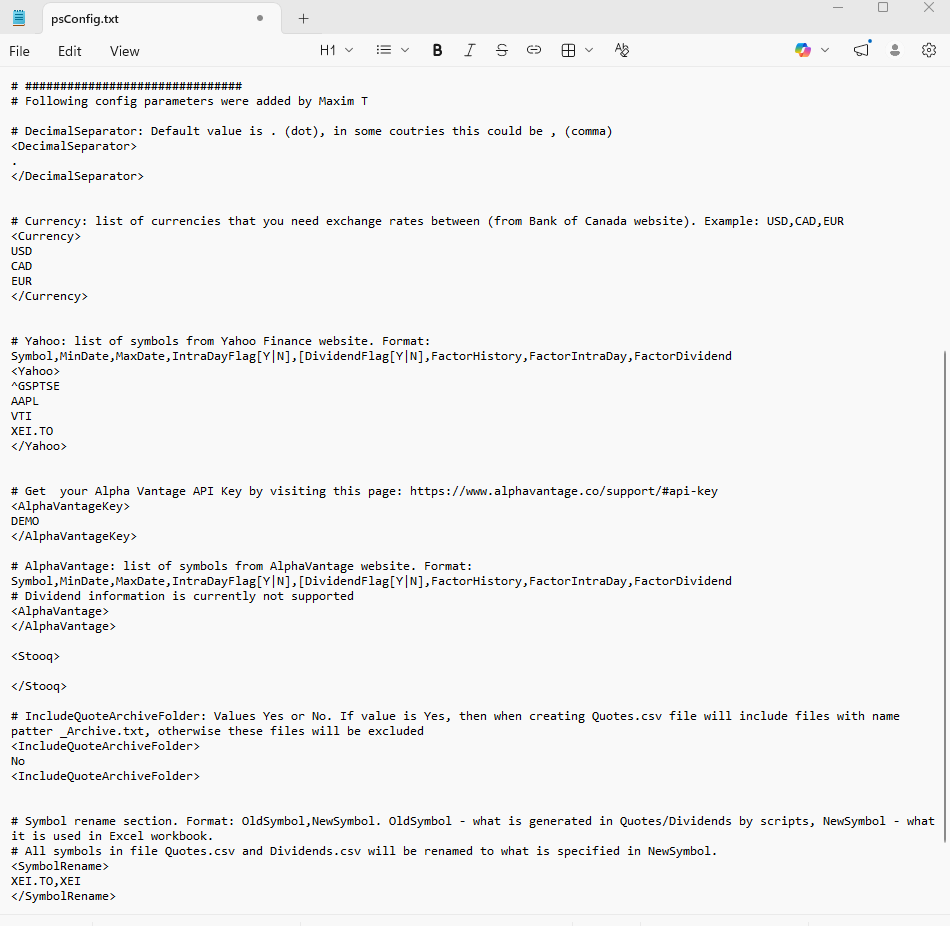
The screenshots below show the general layout of the file.
Parameters You Should Review First
MinDate
Defines the minimum historical date used by Portfolio Slicer.
Use the format YYYY-MM-DD.
This is one of the most important settings in the whole configuration.
Important: this MinDate value should exactly match the MinDate value used in the Portfolio Slicer Config table inside the workbook.

If you change MinDate later, you may need to rebuild historical quote data, currency data, and other generated files.
PSDataFolder
Specifies where the external files used by Portfolio Slicer will be created.
A typical value is:
C:\PortfolioSlicer\PSData
This should point to the same folder that the workbook expects when it loads Dates.csv, Quotes.csv, CurrencyConv.csv, and Dividends.csv.
DetailOutput
Controls how much detail the scripts print while they run.
Recommended use:
Yeswhile setting up or troubleshootingNofor routine runs if you prefer shorter output
Currency
Lists the currencies for which exchange-rate data should be prepared.
Only include currencies you actually need for your portfolio and reports.
SymbolRename
Lets you rename symbols in generated output so the external files match the symbol names used in your Excel workbook.
This is especially useful when a data source uses a different ticker format than the one you want in Portfolio Slicer.
Other Common Parameters
GeneratedQuotes
Used for cases where some quote rows are generated rather than downloaded directly from an external source.
DataRootFolder
Specifies the root folder used by supporting scripts for locally stored source files.
ArchiveQuotes
Controls whether older quote files are archived.
ColumnSeparator
Defines the separator used when files are generated.
In newer supported setups, Tab is often the expected value.
DecimalSeparator
Should match your environment when necessary, especially in locales where , is used instead of ..
Source-Specific Sections
Some sections in psConfig.txt are used to define which symbols should be downloaded from which source.
Examples include:
YahooGoogleGoogleWeb
These sections are workflow-specific and can become outdated when data providers change their sites, APIs, or downloadable formats.
If you use them, always confirm that the related script documentation still matches your real setup.
Practical Advice
When editing psConfig.txt:
- change one small thing at a time
- test with a small symbol list first
- keep a backup copy before major edits
- treat
MinDate, symbol names, currencies, and output paths as especially sensitive - run the batch update after important changes and inspect the generated files